VPS vs AWS for SaaS: How to Choose Before You Have Scale
For most pre-product-market-fit SaaS teams with predictable traffic and no compliance mandate, a VPS paired with object storage and a CDN is cheaper to run and faster to ship on. AWS earns its price when you need elastic scaling, audited compliance artefacts, or a managed service you cannot reasonably replicate. The honest trade is cash against attention. Default to the simpler setup until real load argues otherwise.

Key takeaways
- The AWS bill for a small SaaS is rarely the compute line. It is the accumulation of metered extras: egress, public IPv4 addresses, NAT gateways, snapshots, load balancers.
- A VPS is cheaper in money only. You pay the difference in attention, inheriting OS patching, firewall rules, monitoring and backups.
- Most experienced small teams run a hybrid: compute on a VPS, assets and backups on object storage, a CDN at the edge.
- Compliance mandates, genuinely bursty workloads and hard dependencies on proprietary services settle the argument in AWS's favour regardless of base cost.
- The hard part of migrating later is the database and stateful data, not the application code. Keep the app portable and the decision stays reversible.
What the two options actually are
These are not two versions of the same product, so comparing them on price per vCPU misses the point.
EC2 is one component inside an ecosystem you assemble yourself. You rent compute, then attach block storage, network interfaces, security groups and whatever managed services you decide you need. Each piece is billed independently.
A VPS from a provider like Hetzner or DigitalOcean is a finished box. Fixed compute, fixed memory, fixed disk, a generous bandwidth allowance, one monthly price. You SSH in and it is yours.
Amazon Lightsail is a third thing that gets mistaken for the second. The bundles run from roughly $3.50 to $40 a month and include set bandwidth, which reads like VPS pricing. The catch is the compute shape. Lightsail bundles are built on burstable instance families, so sustained CPU demand drains the credit balance and the instance settles back to its baseline. That is fine for a marketing site and uncomfortable for an application server under steady load.
The bill nobody models: where AWS costs show up
Take a small app and hold it still: one web server, one database, two environments, 500 GB of outbound internet traffic a month. Nothing here is a benchmark. These are published list prices applied to a stated set of assumptions.
On the VPS side, the number barely moves. Hetzner's CX-series plans sit in the region of €4 to €15 a month, and DigitalOcean droplets commonly used for this kind of workload run from about $6 to $24. Included transfer ranges from 1 TB to 20 TB depending on provider and plan, and 500 GB does not come close to the ceiling. Hetzner's overage is roughly €1 per additional terabyte, so even a bad month is a rounding error.
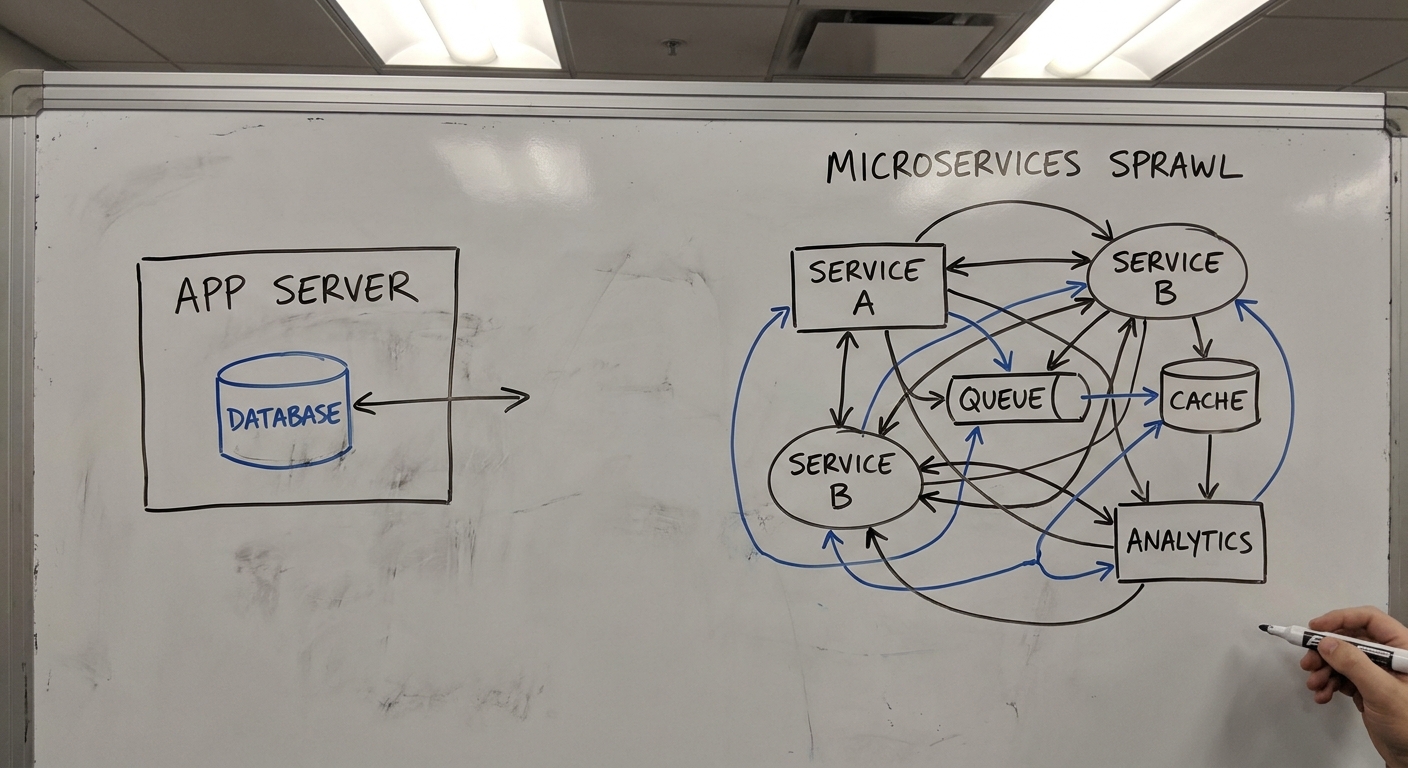
On AWS, the meter runs on every component.
Data transfer is the one that surprises people. Internet egress is charged at roughly $0.08 to $0.12 per GB above the first 100 GB each month, so 400 billable gigabytes lands somewhere around $32 to $48 before you have paid for a single CPU cycle. The risk is not the steady state, it is the accident: a public bucket left open, a scraper hammering an endpoint, a misconfigured sync job. A metered rate turns a mistake into an invoice.
Public IPv4 addresses are the quiet one. Since February 2024, AWS charges $0.005 per hour for every in-use public IPv4 address, about $3.60 a month each. That applies to EC2 instances, NAT gateways and load balancers alike, so the count climbs with the architecture rather than with the traffic.
Set AWS Budgets and billing alarms on day one if you go this route. They catch the accidents. They do not remove the work of understanding a bill with a dozen line items on it.
The bill that does not appear: operations and attention
Here is the part the cost comparisons skip. A VPS is cheaper in money and more expensive in attention, and whether that trade is good depends entirely on how much attention your team has to spare.
Managed AWS services genuinely remove work. Under the shared responsibility model, running PostgreSQL on RDS hands AWS the OS patching, the replication and the backup retention. You are paying a premium to delete a category of task from your week, and for some teams that is money well spent.
Rent an unmanaged VPS and you are the system administrator. The job list is not long but it is non-negotiable: OS patching, firewall rules, fail2ban or equivalent, log rotation, swap configuration, TLS renewal, monitoring, off-site automated backups, and a restore you have actually tested. Skip those and the saving is not a saving. It is a loan against a future outage, on a box that is a single point of failure by design.
What makes this tractable for one to four people is tooling. Laravel Forge, Coolify, Dokku, Kamal and Portainer each turn a raw Linux box into something closer to a platform, handling deployments, certificates and process supervision so you are not writing systemd units at midnight. Pick one and learn it properly rather than collecting three.
Things still break. A weekend lost to a failed Postgres upgrade costs more, in the only currency a small team has, than a year of the AWS premium would have. That is an illustration, not a measurement. But it is the right way to price the decision.
VPS and AWS side by side
| Dimension | VPS or cloud VM | AWS |
|---|---|---|
| Pricing model | Bundled flat monthly | Metered per component |
| Bandwidth | Large allowance included | Metered egress above free tier |
| Public IPv4 | Usually included or nominal | Hourly charge per address in use |
| Database | You run and back it up | RDS or Aurora handles replication, backups, patching |
| Scaling | Vertical resize, manual horizontal | Auto scaling, serverless options |
| Compliance artefacts | You assemble them | Programme-level attestations available |
| Who patches the OS | You | AWS, on managed services |
When a VPS is genuinely the right answer
You can run a serious business on one server. Bootstrapped MVPs, internal tools and B2B applications with business-hours load profiles all fit comfortably.
The reason is workload shape, not raw horsepower. A standard relational app with cached reads, single-region delivery and traffic that rises and falls on a predictable curve does not need elasticity. It needs consistent CPU and fast local disk, which is exactly what a dedicated-core VPS sells and exactly what burstable instance families do not guarantee.
The conditions attached matter. No procurement team asking for audited artefacts. No unpredictable spikes you cannot absorb with headroom. And a team that will genuinely configure automated off-site backups and watch disk usage, rather than intending to.
When AWS is the only sensible choice
Four situations end the debate before it starts.
Compliance and enterprise procurement. Sell to hospitals, banks or large enterprises and a security questionnaire arrives before the contract does. AWS does not make your product compliant. It supplies audited infrastructure and programme-level attestations covering frameworks like SOC 2, HIPAA and FedRAMP, which shortens the path considerably. That distinction matters and most comparisons get it wrong.
Genuinely elastic workloads. Batch processing that wants a large fleet for an hour and nothing overnight, or traffic that spikes without warning. Auto scaling exists for this, and paying for idle VPS capacity to cover a peak you hit twice a month is worse economics.
Proprietary service dependencies. If the product is built on Bedrock, Kinesis, Aurora Serverless or multi-region active-active replication, there is nothing to decide.
Existing credits. A large startup credit allocation changes the maths for a defined period, and you should use it. The trap is building an architecture that outlives the credits and then discovering what it costs at list price.
The setup most experienced small teams actually run
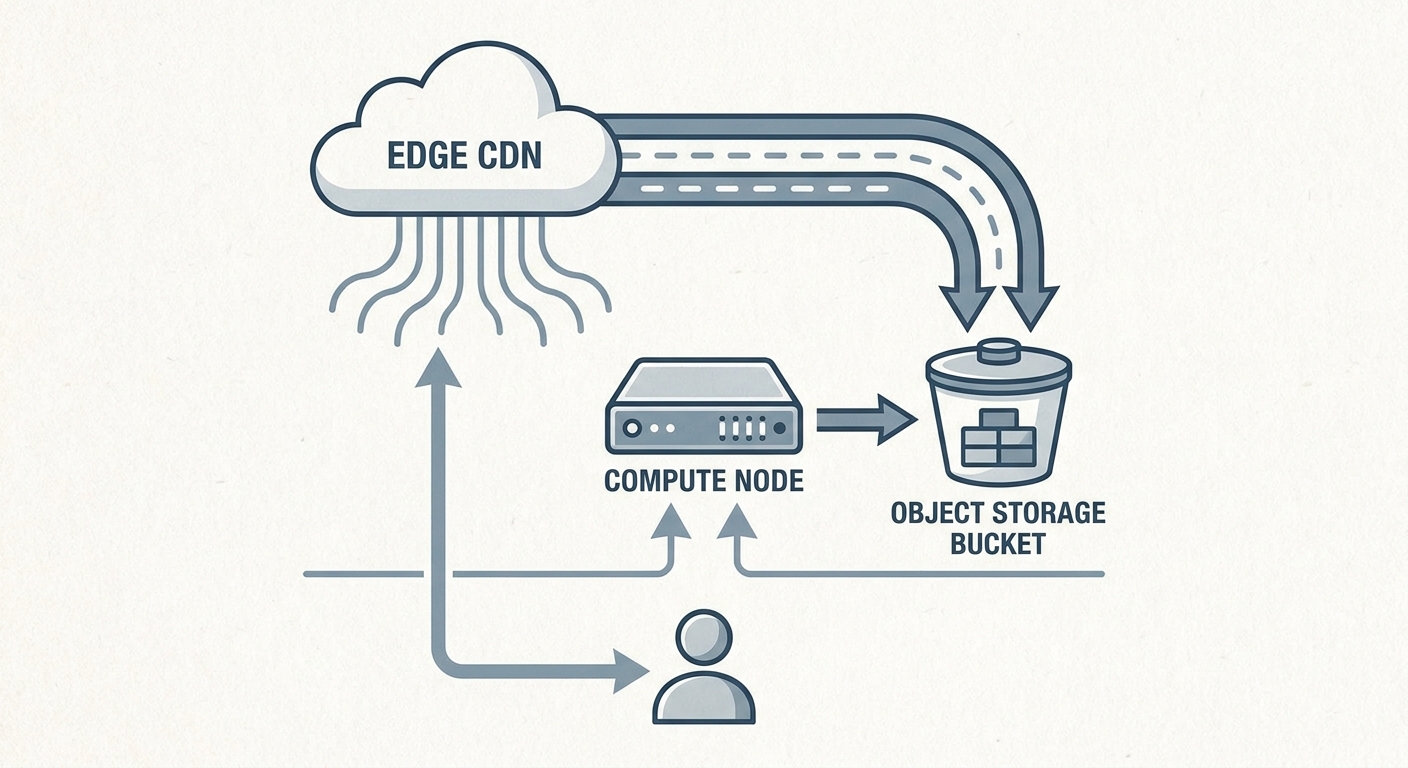
Nobody with scars picks one option and stops. The common production shape for a bootstrapped SaaS is a hybrid, and it is worth copying.
Compute and application logic live on a VPS, where pricing is predictable and cores are dedicated. The database sits on the same box, or on a second box if you want the separation, with automated dumps running on a schedule.
Static assets, user uploads and those database backups go to object storage. Cloudflare R2 is popular here because it does not charge egress fees, which removes the single largest variable from the bill. S3 works too if you are already there and your egress profile is modest.
A CDN sits in front of everything, handling TLS termination, caching and DDoS absorption so the origin server only sees requests that actually need application logic.
This pattern defuses the two arguments that usually push small teams onto AWS prematurely: a disk that keeps growing and bandwidth exposure you cannot cap. The failure mode is worth naming. The compute node is still a single point of failure, so your rebuild path and your restore test are what stand between an incident and a disaster.
How to decide this week
- Estimate monthly outbound traffic. Media-heavy or API-heavy products should weight this heavily.
- Check whether any signed or near-term customer requires a compliance artefact.
- Decide who owns backups, and put the first restore test in the calendar.
- Pick one deployment tool and commit to it.
- Set a billing alarm whichever way you go.
- Write down the specific metric that would trigger a migration conversation.
AWcode's working position
AWcode has built and operated its own SaaS products alongside client work since 2014, which means we pay our own infrastructure bills and carry our own on-call.
Our published view on SaaS architecture mistakes applies directly here: infrastructure built for scale you do not have is runway spent on a problem you do not have. The cost is rarely just the invoice. It is the IAM policies, the VPC wiring and the configuration drift that pull engineering hours away from the features customers are waiting for.
So we default to the simplest architecture that supports the next twelve months, instrument it properly, and let real load justify the next move. For most new products that means one well-maintained server, automated backups, assets offloaded to object storage, and a CDN in front.
FAQ
Will investors or enterprise buyers care that we are not on AWS? Investors look at traction and unit economics, not your hosting provider. Enterprise buyers care about data security, audit trails and uptime. If you can evidence encryption, access control and tested backups, the underlying host rarely decides an early-stage deal.
Is AWS Lightsail the same as a VPS? No. The bundled pricing looks similar, but Lightsail runs on burstable instance families. Sustained CPU load exhausts the credit balance and the instance drops to its baseline performance, which a dedicated-core VPS does not do.
What breaks first on a single VPS? Usually disk, filled by application logs or user uploads, long before CPU saturates. Offloading uploads to object storage and enforcing log rotation prevents the most common single-server outage. The deeper risk is that the box has no redundancy, so an untested backup is the real failure point.
When should we actually migrate, and what is the hard part? Migrate when database performance limits the application and vertical resizing stops being cost-effective. The hard part is always moving stateful data with minimal downtime. The application code is the easy half.
The part that is hard to undo
This decision stays reversible for as long as the application stays portable. What is difficult to unwind is a deep dependency on a proprietary managed service you adopted before you needed it, because that choice reaches into your data model and your deployment pipeline at the same time.
Pick the setup that lets you ship this week. If you want a second opinion on your architecture or help setting up a deployment pipeline, our SaaS development team can help you build a foundation that scales when there is something to scale.