Filament Admin Panels in Laravel: What to Build and What Breaks at Scale
Filament is a free, MIT-licensed panel builder for Laravel that generates admin interfaces from PHP classes, with no separate JavaScript frontend to build or maintain. It fits internal tools, B2B back offices and SaaS dashboards where data management matters more than bespoke interaction design. The costs arrive later: Livewire round trips on heavy tables, and a fast major version cadence that needs a budgeted upgrade window.
- The MIT licence covers unlimited commercial use with no per-project or per-seat fee.
- The TALL stack means no API layer, no state store and no second build pipeline.
- One codebase can serve several panels, each with its own guard, navigation and theme.
- Production work concentrates on query optimisation and authorisation, not on writing UI components.
What Filament actually is
Think about what a custom admin SPA actually costs. An API layer. A state store. A build pipeline. Authentication handled twice. Two mental models for every feature, and two places to look when something breaks. Filament removes most of that by keeping the whole interface in PHP.
It is an open-source panel builder and component library for Laravel. You describe your data and the rules around it, and the framework renders the tables, forms, modals and widgets that let people work with it.
The foundation is the TALL stack: Tailwind CSS, Alpine.js, Laravel and Livewire. Reactivity comes from Livewire, so interactive behaviour is expressed in PHP rather than in a client-side component tree. Filament was created by Dan Harrin and is maintained by a core team alongside a large contributor base. At the time of writing, the filamentphp/filament repository has passed 32,400 stars on GitHub.
The licence is MIT. Personal projects, client work, commercial products, all free, with no per-project or per-developer purchase. That alone changed the arithmetic for a lot of teams.
The framework is organised around a handful of building blocks. The Panel Builder assembles the application shell. Resources bind Eloquent models to CRUD screens. Forms and Tables handle input and display. Actions standardise buttons and confirmation modals, Infolists present read-only records, and Widgets cover stat cards and charts.
Why the Laravel admin debate changed
For years the choice was binary. Buy a Laravel Nova licence, or build the admin yourself in Vue or React and wire it to an API.
Filament added a third option with an awkward combination for its competitors: Nova-speed scaffolding, no licence fee, and no requirement to touch a JavaScript framework when you need something custom. Customisation stays in Blade and PHP, which is where the team already lives.
| Dimension | Filament | Laravel Nova | Custom single-page app |
|---|---|---|---|
| Licensing | MIT, free | Commercial, from $99 per project | Custom or free libraries |
| Frontend stack | Livewire, Alpine.js, Tailwind | Vue.js, Tailwind CSS | React, Vue or Svelte |
| Scaffolding speed | Very fast, a single PHP resource file | Fast, official Nova resources | Slow, you build the APIs and views |
| Extensibility | Large plugin ecosystem | Nova packages and custom Vue cards | Unlimited, but from scratch |
| Context switching | Minimal, entirely PHP | Moderate, Vue needed for custom UI | High, two separate mental models |
Nova's tiers and terms change, so confirm current pricing with Laravel before you put a number in a budget.
The anatomy of a panel
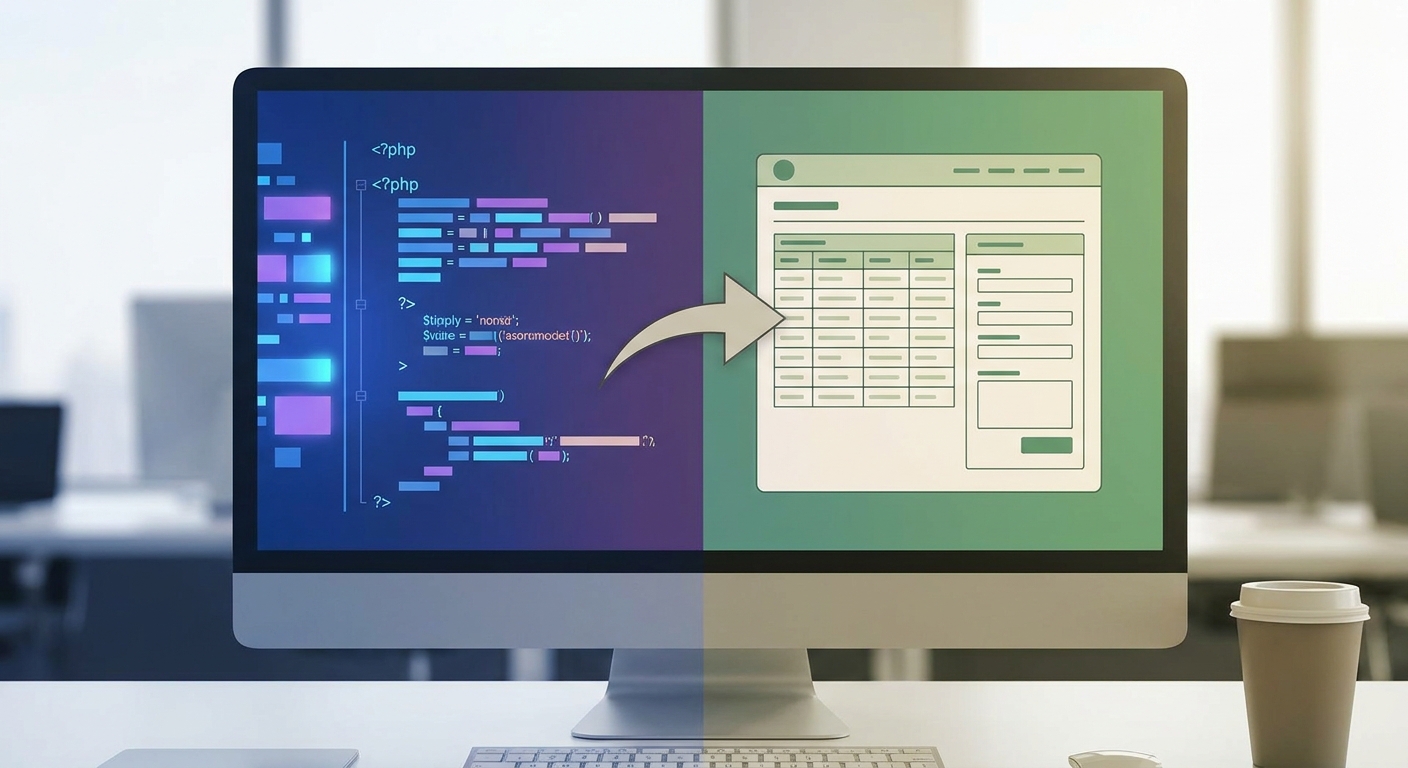
Filament is declarative. You do not hand-write form markup or table layouts. You create a Resource class that binds an Eloquent model to a form schema, a table schema and, where relevant, relation managers for its related records.
The form schema covers validation, conditional visibility and repeatable field groups. The table schema covers server-side pagination, sorting, search, filters and bulk actions. Both are expressed as arrays of components with chained configuration methods.
public static function form(Form $form): Form
{
    return $form
        ->schema([
            Forms\Components\TextInput::make('title')->required(),
            Forms\Components\RichEditor::make('content'),
        ]);
}

public static function table(Table $table): Table
{
    return $table
        ->columns([
            Tables\Columns\TextColumn::make('title')->sortable()->searchable(),
            Tables\Columns\TextColumn::make('created_at')->dateTime(),
        ]);
}
That is the shape of it. One file produces list, create, edit and delete screens. Method signatures and some class names shift between major versions, so check the documentation for the version you are installing rather than copying from an old tutorial.
The point is not that it saves typing. The point is that the interface definition sits next to the business logic, in the same language, reviewed in the same pull request.
Multi-panel architecture and why it matters
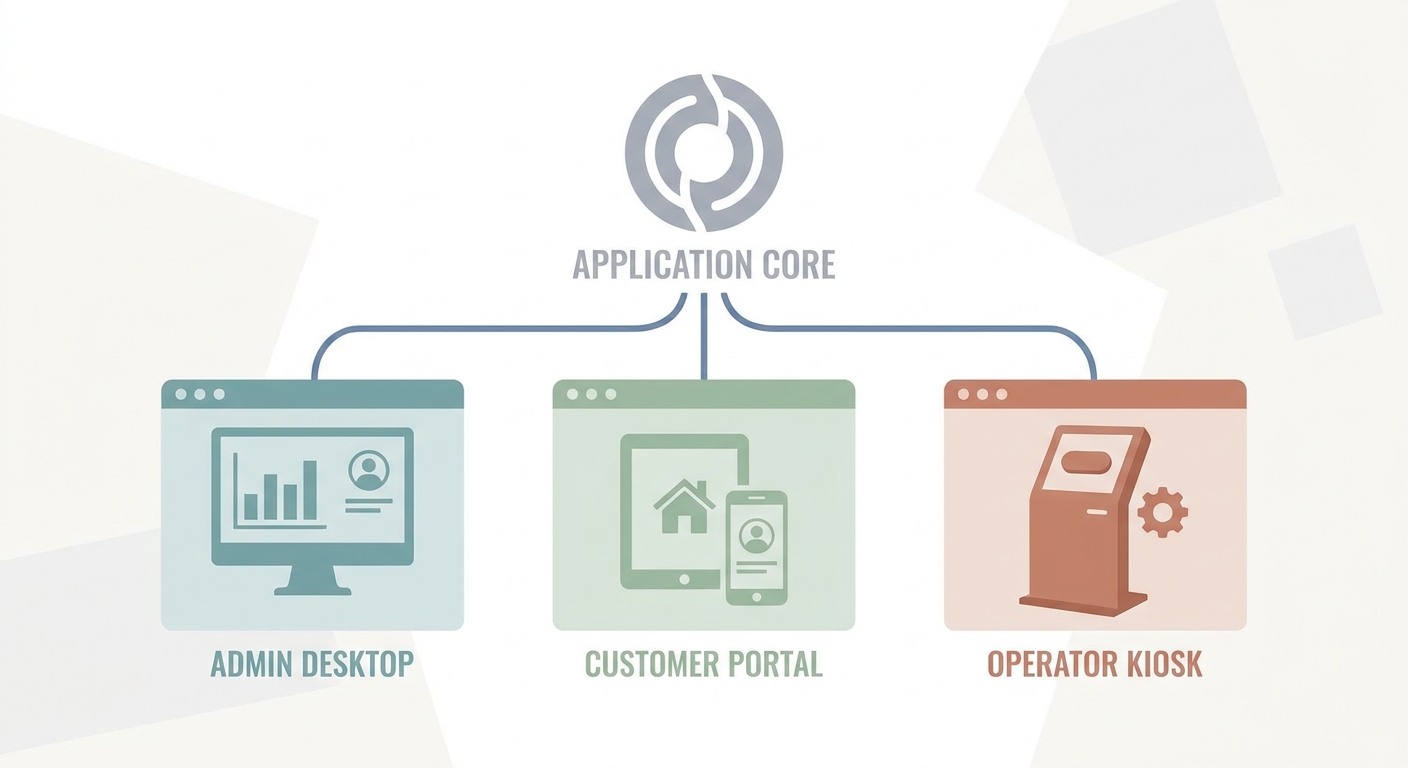
A single Laravel application can run several Filament panels at once. This is the feature most quickstart articles skip, and it is the one that changes what you can sensibly build.
An /admin panel for the internal team. A /portal for customers. An /operator screen for staff who need three buttons and nothing else. Each panel gets its own authentication guard, navigation, middleware and theme. All of them share the same models, policies and business rules.
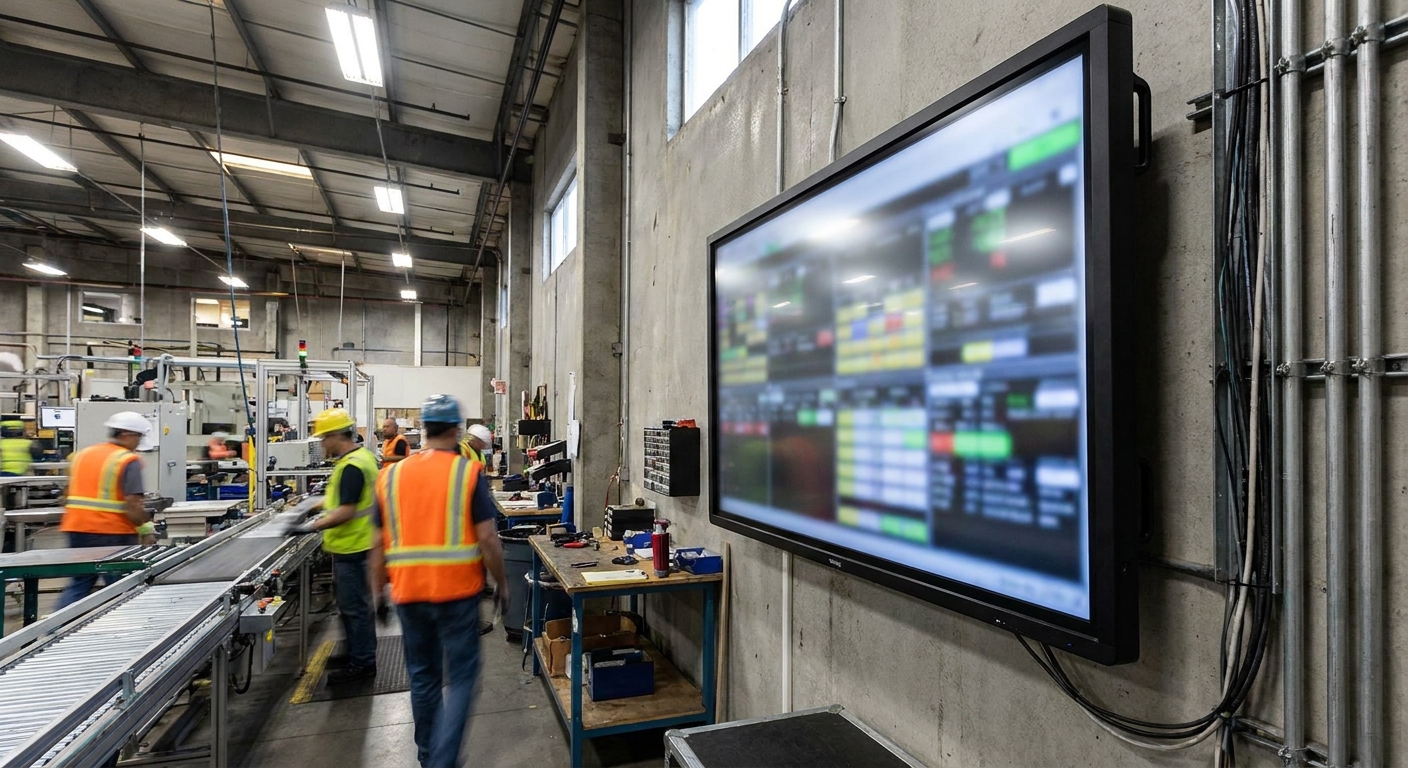
At AWcode we lean on this heavily in factory and industrial software. A production site often needs a dense desktop panel for planners and schedulers, and a high-contrast touchscreen view for people on the floor wearing gloves. Those are genuinely different interfaces with genuinely different constraints. They are not different applications. Building them as separate panels keeps one source of truth for the data and one place to fix a scheduling rule.
Filament also supports multi-tenancy natively, so records can be scoped to a team, company or site and routing can carry the tenant context. For SaaS products that is the difference between a panel you can ship to customers and a panel that stays internal.
From prototype to product: the velocity argument
Filament buys time, and it buys the most of it in a specific place: admin layers for products whose value lives somewhere else. Internal tooling. B2B back offices. Operational dashboards. The screens that have to exist and that nobody will ever praise you for.
Skipping the API layer, the state management and the second build pipeline is not a small saving. A small team can put a working back office in front of real users without borrowing frontend capacity it does not have. For startup product engineering, that usually decides whether the admin side gets built properly or gets improvised.
We argue for boring technology because it ships and because there is less of it to go wrong. Filament sits comfortably inside that position.
The saving shrinks when the interface itself is the product. Heavily custom, high-interaction UI fights the component model rather than riding it.
And the ledger has another column. You are not maintaining frontend code, but you are now tied to the framework's release cadence. Filament ships major versions quickly. A move from one major to the next tends to mean reworking custom Tailwind themes and checking that every community plugin has caught up. You have traded ongoing frontend work for periodic upgrade work. For most teams that is a good trade. It is not a free one.
What breaks in production
Every tool looks flawless in a quickstart. These are the four places real applications get into trouble.
Livewire payloads and large tables
Reactivity in Filament means server round trips. An interaction sends a request, the server rehydrates component state and returns updated HTML. That model is fast and simple until the amount of state gets large.
Unpaginated tables, relation-heavy columns and computed values that fire a query per row are the usual culprits. Payloads inflate and the interface starts to feel sluggish.
The mitigations are unglamorous and effective. Keep pagination strict and the default page size modest. Eager load relationships with with() in the Resource's query. Use deferLoading() so a heavy table does not block the first paint. Push aggregation into the database rather than computing it in a column callback. Treat any column that touches a relationship as a query until you have proved otherwise.
Authorisation that survives an audit
Filament will check whether a user can access a panel. That is the front door, not the whole building.
Record-level control belongs in standard Laravel Policies, which Filament respects: if the policy denies deletion, the delete action does not render. The trap is teams treating panel access as the authorisation model, then discovering that an authenticated user with a guessable record ID can reach things they should not.
For role-based setups, spatie/laravel-permission is the common base. Filament Shield builds on it to generate policy coverage across resources so nothing is left unprotected by oversight. Generate the coverage, then read it. Generated policies are a starting point, not a sign-off.
Plugin curation
The official plugin registry is a real advantage. It is also a supply chain. One unmaintained package can hold an entire application on an old major version.
Three checks before you install anything. Is it maintained for the major version you are on. Does the download and issue history suggest other people depend on it. Can you name the maintainer. Widely used packages such as the Curator media manager and the Tiptap editor clear that bar comfortably. If a plugin saves you thirty lines, write the thirty lines.
Upgrade planning
Filament's support windows are published, and they are worth reading before you commit. Bug fixes for v3 concluded in August 2024, with security fixes running to January 2028. The v4 branch receives bug fixes until January 2027 and security fixes until January 2028. Feature work happens on the current branch, v5.
Plan for one upgrade window a year and treat it as scheduled maintenance rather than an emergency. Pin plugin versions in composer.json. Keep custom theme work and overridden views to the minimum you can live with, because those are the parts that break.
A short naming aside
If you spend time in this ecosystem you will run into awcodes. That is Adam Weston, a Filament core team member and the author of plugins including Curator and the Tiptap editor. He has no connection to AWcode, the consultancy publishing this article. Shared name, shared taste in tooling, different people.
When not to use Filament
Filament is wrong for a decent number of projects, and saying so is cheaper than finding out in month four.
Public-facing applications where the interaction design is the product. Anything that needs a distinct design system rather than a themed component library. Offline-first interfaces, or anything where a network round trip per interaction is unacceptable. Teams with deep React investment and no appetite for PHP on the frontend, where the learning curve will cost more than the framework saves.
Filament is excellent at operational tooling and data management. It is not a substitute for a bespoke consumer application.
Decision checklist
Work through these before you commit.
- The interface is internal, operational, or a B2B back office rather than a consumer product.
- Laravel is already the backend, and the team is comfortable in PHP.
- A standardised component-based UI is acceptable to the people who will use it.
- Several user types need their own entry point, access rules and layout.
- The data volumes per screen are known, and pagination and eager loading are planned for.
- Authorisation requirements are understood at record level, not just at login.
- Someone owns the yearly upgrade window and has time allocated to it.
- Any plugin you plan to depend on is maintained for your major version.
Mostly true? Filament is very likely the right call.
Making the final call
Filament changed how Laravel teams build admin interfaces by removing the frontend project that used to sit beside every back office. You pay for that with Livewire's performance characteristics on heavy screens and a commitment to keeping up with major versions. For factory and logistics tooling, customer portals and SaaS back offices, that trade is almost always worth making.
If you want to see how this applies to industrial environments, look at our factory software work. If you are earlier than that, our startup engineering services cover the same ground from the MVP end.
FAQ
Is Filament free for commercial use? Yes. It is released under the MIT licence, which covers commercial products, SaaS applications and client work with no fee and no seat count.
Does Filament work without writing JavaScript? In normal use, yes. Forms, tables, actions and widgets are defined in PHP, and the framework handles the Alpine.js and Livewire behaviour underneath. You only reach for JavaScript when you build a genuinely custom component.
Can Filament handle multi-tenant SaaS? Yes. Multi-tenancy is supported natively in the Panel Builder, including scoping records to a tenant and tenant-aware routing. Check the tenancy documentation for the version you are running, since the configuration has evolved across majors.
How does Filament compare to Laravel Nova on cost? Filament has no software cost. Nova is commercially licensed with tiers starting at $99 per project, so confirm current terms at nova.laravel.com. Licence fees are the smaller part of the comparison either way: developer time spent on upgrades and customisation will dominate the three-year figure for both.
Can a Filament panel sit alongside an existing frontend? Yes. A panel is a set of Laravel routes behind its own middleware and guard, so it can run in the same application as a Blade site, an Inertia app or a separate React frontend consuming your API.